Remove duplicate files from your computer
If you do not normally control what you store in your hard drive, chances are you have more than one repeated file, which is taking up unnecessary space. As you know, keeping your device clean can help with your computer’s performance. DoubleKiller is a utility software that can help you do all that. It's a portable piece of software that locates all duplicate files so you can get rid of them and free up storage space.
Features
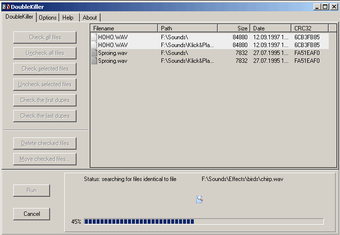
As mentioned, DoubleKiller primarily works as a duplicate finder. The app analyzes your hard drive—or any specific directory—and finds files that match your specification. You only need to select which directory you want to scan and allow the app to do the rest.
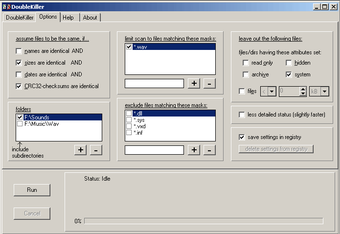
There are plenty of configuration settings available in this tool. For one, you can identify the duplicates based on their names, dates, sizes, or CRC32 checksums. If you have specific files to check, the app lets you include custom subdirectories. You can also create an inclusion and exclusion list of file masks and customize the file attributes. You can save these settings you made to the Registry for future use.
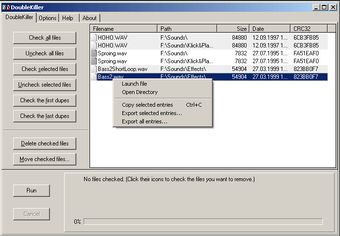
Once it completes the scanning, the app displays a list containing all duplicates found. You can then manually or automatically select the files that you want to remove. DoubleKiller includes a simple verification tool. With this, you can make sure that the files found are identical. More than that, you can sort or export the result to a text file readable by both humans and spreadsheet applications.
Installation and interface
DoubleKiller is a stand-alone executable app and it doesn't need installation in order to work. What you can do is drop the file on any spot on your hard drive and run it. Alternatively, you can store it on a USB flash drive or any similar storage unit and run it on any computer. With this, you can check for duplicates on your work and personal computers.
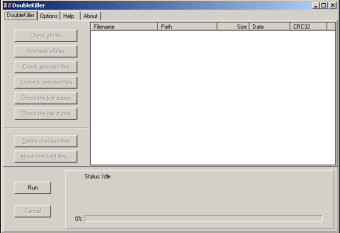
However, users will find that the app does not excel in the visual department, with it looking a bit outdated. Nevertheless, the options are simple to figure out. With this, you will not have a hard time cleaning your computer’s hard drive. But if you need assistance in running the app, DoubleKiller comes with a help file.
Besides being portable, the app runs on a low-to-moderate quantity of CPU and system memory. It shouldn’t take so much space and affect the computer’s performance. However, scanning may take a while, depending on your hard drive’s size and selected options.
Reliable duplicate finder
All in all, DoubleKiller is a reliable application that you can use for checking duplicates on your hard drive. The app thoroughly analyzes your computer and find clone files that you can remove to gain back storage space. Not only that, but it also offers various configuration options and filters to help you find specific files. Aside from the fact that the interface needs improvement, the program should satisfy all types of user needs.